

How to find bet history in the 1xBet app: won, open and cash out status
The 1xBet app keeps your bet history in the account area, and the operator lists quick access to it among the 1xBet app’s core features. Open the menu, tap your 1xBet account, then choose bet history. Every entry shows the slip’s state, so a settled win, a pending bet and a cash out chance sit on one screen you can scan quickly.
Getting to the bet history screen in the 1xBet app
The home screen is built for placing bets, so history lives one level down. That placement matters because live odds and scores move while you browse, and you do not want to lose a slip by hunting through settings.

- Open the 1xBet app and wait for the home screen to load.
- Tap the menu button, usually a three-line icon in a corner.
- Select the account or profile section.
- Choose bet history from the list of account options.
- Let the list load, then scroll to the slip you want to review.
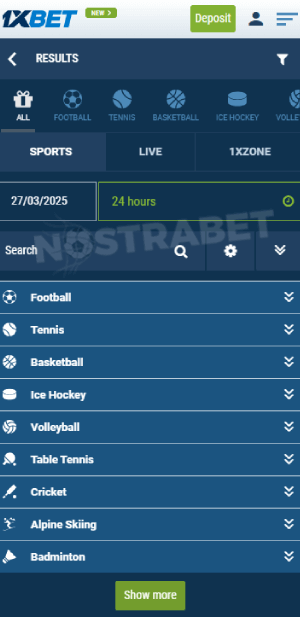
If you cannot find the entry, check the same list for a results section. The mobile page documents results and live score areas separately, and either can help you confirm what happened in the event your bet referenced. Bet history shows your own slips and their states, while results and live scores show what happened in the event itself; both are useful when a slip’s outcome looks unclear.
Reading one entry from top to bottom
Each row or card is a compact record of one bet. The exact layout can vary between app builds, so treat the order below as a reading habit rather than a fixed template.
- Check the event name and the market you picked.
- Read your selection and the odds taken at the time.
- Note the stake and the potential return.
- Find the status label that describes the slip’s current state.
- Compare the outcome against the result shown for the event.
A single slip can hold several selections, which matters when you review a multibet. One losing leg can settle the whole slip even if the other picks came in. Read every leg before you judge the entry.
Cash out closes a slip before the whistle, so an open bet may still show a cash out value rather than a final result.
Sorting your list by the status label
The status label is the fastest way to sort a long list. The table below covers the states a typical history entry can show, with what each one means for your money.
| Entry state | What it means | What you can do |
|---|---|---|
| Settled or won | The event finished and the slip returned a profit | Check the balance movement against the account section |
| Settled or lost | The event finished and the slip returned nothing | Review the legs to see which selection failed |
| Open or pending | The event has not finished, so no final result exists | Watch the live score or odds until it closes |
| Cash out available | An open slip still has a live cash out value | Decide whether to close early or let it run |
| Returned or void | The market was settled without a normal win or loss | Confirm the stake treatment in the account section |
Two entries can look similar at a glance. An open bet with a cash out figure is not the same as a settled win, because the value can move until the event ends or the offer is withdrawn.
Deciding whether to take cash out on an open slip
Open slips stay visible in bet history while the event runs. The Kenyan listing frames cash out as a way to close a slip before the whistle if the game turns sour, which tells you the 1xBet app tracks live slips on screen. This is the moment where your judgement matters most: if the current figure already covers your stake and a profit you would be happy with, taking it removes the risk of a late collapse. Letting it run instead means accepting that the value will keep moving, for better or worse, until the market closes.
Before you tap, open the entry and read the status field first rather than the return figure. Look for a cash out value or button on the slip itself, tap through if the entry is collapsed, and confirm the current value at that exact moment before you accept it. Cash out values change with the match, so a figure you saw ten minutes ago may not be the figure on offer now; refresh the entry rather than trusting memory.
- Open entries remain in the list until the event settles.
- A cash out option can disappear if the market moves against you.
- Accepting a cash out closes the slip there and then.

Reviewing past picks is easier when you know the event data behind them. The app carries football stats and head-to-head records, and live odds shift through a match, so an entry that lost narrowly can often be understood by checking the numbers again. Match streamings and live scores sit alongside those tools. For broader context on finished fixtures, the football results page is a handy cross-check when you want to see how a scoreline developed.
Matching a settled bet to your balance
A history entry tells you the outcome, but the account section tells you what actually landed in your balance. The two belong together because deposits, withdrawals and winnings all move the same figure.
- Note the stake and return on the settled entry.
- Open the account section of the 1xBet app.
- Find the balance movement that matches the slip’s date.
- Compare the amount credited or debited with the entry.
- Flag any gap and check whether a cash out was accepted instead.
This habit catches a common muddle. A slip that looks won but paid less than expected may have been closed early through cash out, which settles at the value you accepted rather than the full potential return. Settled wins credit the balance after the event ends, lost slips show no credit for that stake, and cash out payments settle at the accepted value.

Using filters and dates to find an old slip
Long histories get unwieldy, so narrow the list before you scroll. Date and sport filters are the usual way to do it, though the exact options depend on your app build. Set the date range around the day you placed the bet, filter by sport if the list still looks long, and sort by newest or oldest depending on what you need before you open the entry and read the status label again.
If an old slip still shows as open, that is worth a second look. It can mean the event was postponed, abandoned or settled unusually, and the entry may sit unresolved until the market is closed. Cross-check the event against the results section to see what the record says.
Spotting patterns in your own betting
History is most useful when you read it as a record rather than a list. A few minutes comparing entries can show which markets and sports treat you better.
| Compare | Why it helps |
|---|---|
| Sport and league | Shows where your picks land more often |
| Single bets against multibets | Reveals whether extra legs cost you returns |
| Cash out taken or not | Shows whether early exits helped or hurt |
| Odds range | Connects longer prices with actual results |
Stats and head-to-head data inside the 1xBet app can support that review, because a pick that lost may still have been reasonable at the time. Judging decisions only by outcome hides the difference between a bad call and an unlucky one.
- Read the market before judging the result.
- Compare the odds you took with the closing picture.
- Separate a poor decision from a narrow loss.
When you are ready to act on what you have learned, before your next betting round through the 1xbet login app download, check the history filters and the account section once more so your record stays easy to read.
Clearing the usual snags
Most problems with a bet history screen come down to loading, filtering or a state you have not seen before. Work through the list below before you assume something is wrong.
- Refresh the screen if entries look stale.
- Check your connection, since history loads from your 1xBet account.
- Clear the filters if the list appears empty.
- Log out and back in if the account area will not open.
- Compare the entry with the results section for the event.
A pending entry on a finished match usually resolves once the market is settled. If it lingers, note the slip details before you contact support, because the entry itself is the clearest record of what you placed.
FAQ
Can I see bet history for a slip I placed on the website rather than the 1xBet app?
Yes, history belongs to your account rather than the device. Sign in with the same details and the same slips appear in the account area.
Why does a settled entry show a smaller return than the odds suggested?
The slip may have been closed early through cash out, or one leg of a multibet may have been settled differently. Compare the entry with the balance movement in your account.
What happens to an open bet if the match is abandoned?
The entry can stay unresolved while the market is reviewed, and it may later be settled as returned or void. Until then it continues to appear among your open slips.
Does bet history show bets placed on casino games?
It is built around sports slips. Casino activity usually appears through your account and balance records instead, so check there for those movements.
Can I download or export my bet history from the 1xBet app?
The app presents history on screen for review, and any option beyond that depends on your build and region. If you need a copy, capture the entry details before contacting support.